
Professional 3D printing with TEC
Turn your next idea
into a working part.
A connected ecosystem for people who design, test, and build.
Explore UltiMaker printers, materials, and software with equipment guidance, training, and technical support from Technology Education Concepts.
Education · Product development · Engineering · Manufacturing
Featured platform
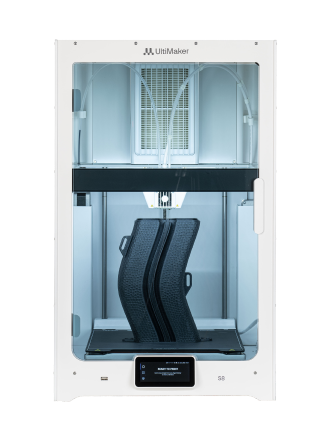
UltiMaker S8
Dual extrusion. High-flow print cores. Room to iterate.
01 / The professional desktop
More iterations.
Fewer compromises.
UltiMaker S8
The S8 combines the Cheetah motion planner, high-flow print cores, and an updated feeder system for demanding desktop workflows. Dual extrusion supports a second material or compatible support material.
Build volume
330 × 240
× 300 mm
Space for functional prototypes, teaching models, and tooling.
Everyday workflow
Designed around
the operator.
Flexible build plate, integrated Air Manager, and swappable print cores.
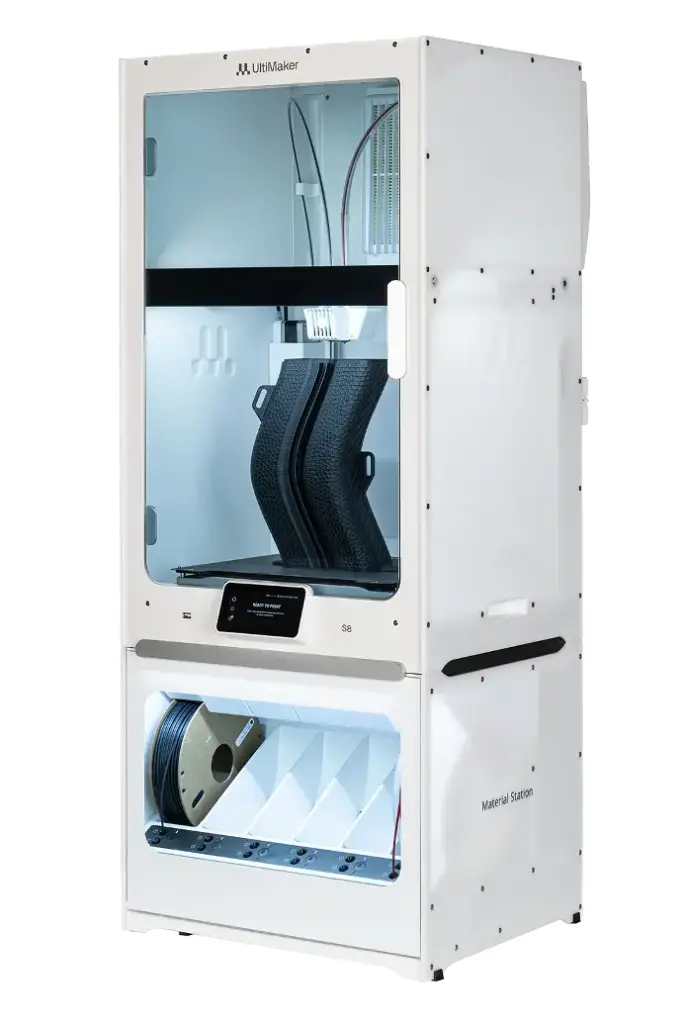
S8 Pro Bundle
Extend the workflow.
Add a Material Station for multi-spool storage and automated material handling. Compare the printer-only and Pro Bundle listings before selecting your setup.
View the Pro Bundle02 / Choose your working environment
A platform for your projects.
Start with the part, the material, and the way your team works.
UltiMaker S7
An established lab platform.
Integrated Air Manager, a PEI-coated flexible build plate, and inductive bed probing for professional dual-material printing.
Build volume: 330 × 240 × 300 mm

UltiMaker S3
A smaller place to start.
Compact dual extrusion and swappable print cores for teaching, design exploration, and smaller prototypes.
Build volume: 230 × 190 × 200 mm
03 / The ecosystem
The printer is one part
of the workflow.
01
Prepare in Cura
Turn a 3D model into a print file with settings for your printer, print cores, and materials.
Ask TEC about Cura training02
Choose the material
Match strength, flexibility, heat resistance, and support needs to your application. Confirm compatibility with the selected print core.
Browse UltiMaker materials at TEC03
Manage the workflow
Use Digital Factory to organize connected printing and team workflows. Available features depend on your printer and software plan.
Discuss your workflow with TEC04 / Technical fit
Compare the essentials.
| At a glance | S8 | S7 | S3 |
|---|---|---|---|
| Build volume (mm) | 330 × 240 × 300 | 330 × 240 × 300 | 230 × 190 × 200 |
| Extrusion | Dual, Bowden | Dual, Bowden | Dual, Bowden |
| Build plate | Flexible PEI-coated | Flexible PEI-coated | Glass |
| Active chamber heating | No | No | No |
| Material handling | Material Station optional | Material Station optional | Rear spool holders |
Looking for S6, S5, or another UltiMaker configuration? Ask TEC to confirm availability and the right package.
Technology Education Concepts
Equipment.
Expertise.
A team to call.
Make the technology useful for the people who use it.
TEC helps schools, libraries, and technical teams discuss equipment, get started, and work through printing problems.
Choose a complete setup
Discuss your application, materials, workspace, and budget before selecting a printer and accessories.
Request equipment guidance →Build confidence with training
Ask about printer setup, Cura workflows, and training for your team.
Discuss training →Keep your printer working
Tell us your model, serial number, and symptoms to start a support or repair discussion.
Request technical support →Your next step
What do you need to make?
Let’s match your application to an UltiMaker setup.
Call 1-800-338-2238 or email info@TECedu.com.