Skip to Content

LaserPro / Offered by Technology Education Concepts

GCC LaserPro.
Engrave. Cut. Create.

GCC LaserPro laser engraving and cutting systems for classrooms, design labs, and production spaces.

Explore desktop CO₂ systems, larger work areas, and fiber-capable configurations. TEC helps connect your materials and projects with the right equipment.

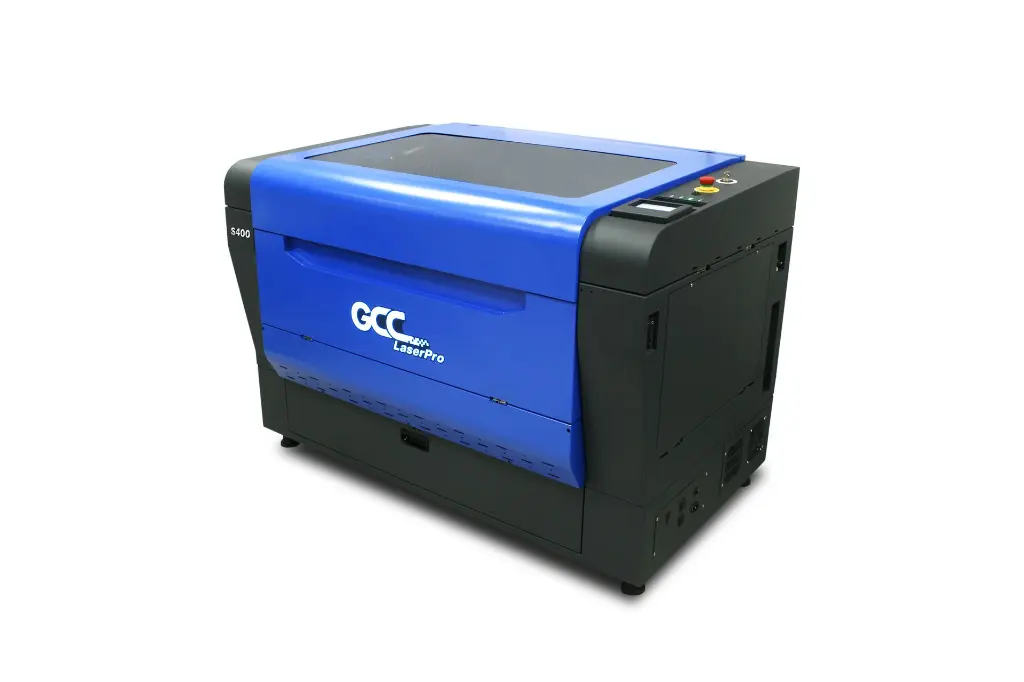
GCC LaserPro S400 laser engraving system

Shown: S400. Available configurations depend on the selected laser source.

Make the design tangible

One process. Many ways to create.

Start with the result you need: a cut part, an engraved surface, or a durable mark.

GCC basswood engraving application examples

Engraving & personalization

Bring graphics, text, and detail to suitable wood, acrylic, coated surfaces, and other laser-compatible materials. Explore awards, teaching models, signs, and custom products.

Manufacturer application example. Material suitability depends on the laser source, finish, and settings.

GCC acrylic desk organizer laser application example

Cut parts that fit your design

Use a suitable CO₂ system for approved acrylic, wood, paper, and other compatible materials. Build model components, packaging prototypes, or display pieces from digital designs.

Cutting results depend on the material, thickness, wattage, and workflow.

Choose the process before the machine

CO₂ and fiber do different jobs.

CO₂: engraving and cutting

Start here for many wood, acrylic, paper, and other compatible nonmetal projects. CO₂ can also engrave suitable glass and treated surfaces; engraving capability does not imply that the material can be cut.

Explore E200S, C180II, Mercury III, and the CO₂ configurations of Spirit LS PRO and S400.

Fiber: direct marking

Consider a fiber configuration for direct marking of compatible metals and certain plastics. This is a different application from cutting wood or acrylic.

TEC lists fiber versions of Spirit LS PRO and CO₂, fiber, or hybrid S400 configurations. A fiber-only machine and a dual-source hybrid are not the same package.

Share your exact materials with TEC before selecting a source or wattage.

Equipment available through TEC

Find the format that fits your work.

Compare the work area, laser source, and setup your projects require.

01 / Desktop engraving

Start smaller. Keep the possibilities open.

Two desktop formats, with different work areas and cooling requirements.

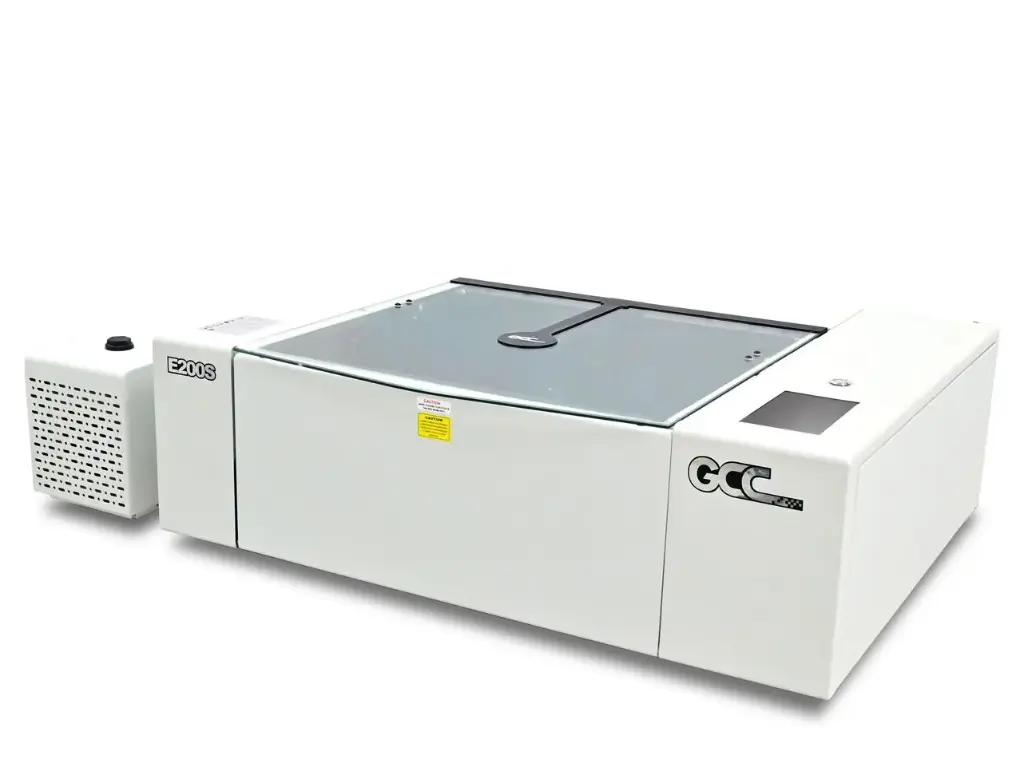
GCC LaserPro E200S desktop laser engraver

Desktop CO₂

E200S

A desktop CO₂ system with camera-assisted positioning and a touchscreen workflow.

Working area
510 × 330 mm / 20 × 12.9 in.
Laser source
40W sealed CO₂
Workflow features
SmartEYES live preview, 7-inch touchscreen, DC servo drive
Cooling
Standard water chiller

An option for smaller project parts and shared creative spaces. Review the current E200S brochure below; optional modules are separate from the base CO₂ configuration.
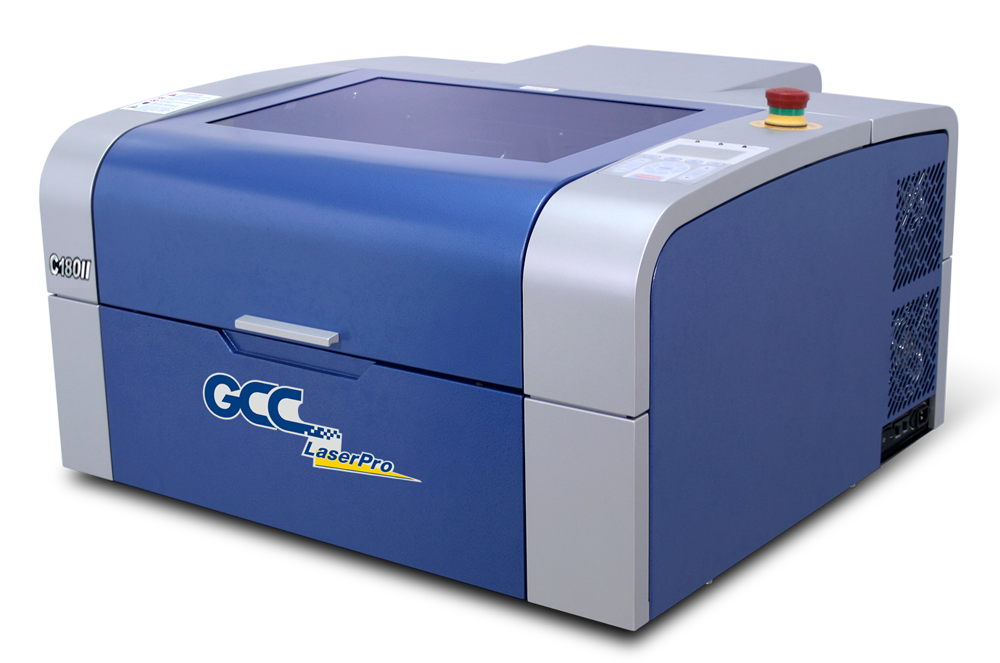
GCC LaserPro C180II desktop laser engraver

Desktop CO₂

C180II

A compact, air-cooled CO₂ engraver with a straightforward desktop format.

Working area
458 × 305 mm / 18 × 12 in.
TEC-listed versions
12W, 30W, and 40W CO₂
Cooling
Air-cooled
Positioning features
Red-beam pointer and autofocus

Consider it for smaller engraving jobs and compatible cut parts. Match the wattage to the material and project, rather than choosing only by footprint.

02 / More room to work

Scale the work area to the project.

Compare the standard engraving area, extended area, and laser-source options.

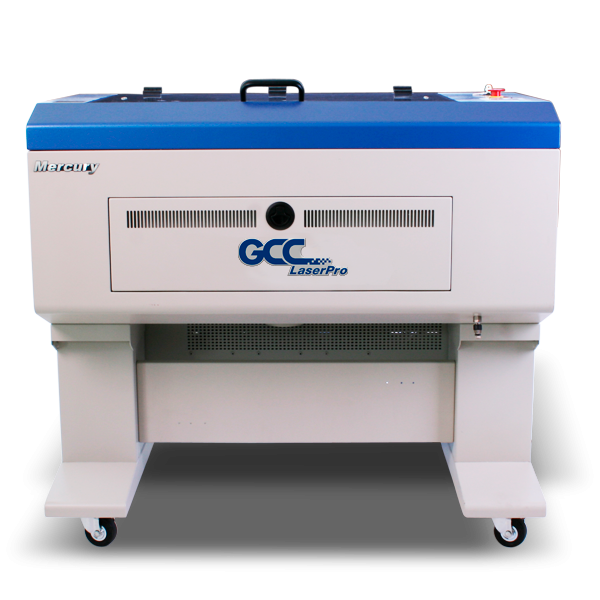
GCC LaserPro Mercury III laser engraving system

Workshop & production

Mercury III

A CO₂ engraving platform for everyday workshop and education projects.

Working area
635 × 458 mm / 25 × 18 in.
TEC-listed CO₂ options
30W, 40W, 60W, or 80W
Setup feature
SmartPIN autofocus

A practical format for repeat engraving and compatible cutting work. TEC’s listing offers four wattage choices; extraction and accessories need to match the chosen setup.

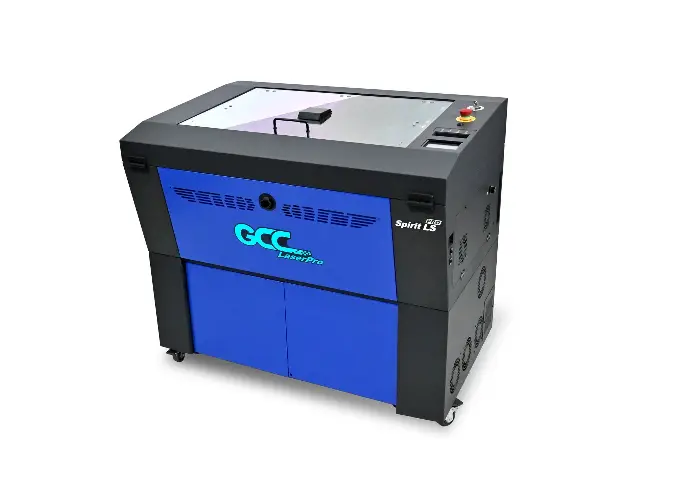
GCC LaserPro Spirit LS PRO laser engraving system

Workshop & production

Spirit LS PRO

A choice of CO₂ or fiber configurations, with camera-assisted positioning.

Standard work area
640 × 460 mm / 25 × 18 in.
Extended work area
740 × 460 mm / 29 × 18 in.
TEC-listed source options
CO₂ 30/40/60/80/100W, or fiber 30/50W

SmartPIN autofocus, SmartEYES live view, and a 4-inch touch panel support the operating workflow. Select CO₂ for compatible engraving/cutting or fiber for suitable direct-marking applications.

GCC LaserPro S400 laser engraving system

Workshop & production

S400

A larger work area with CO₂, fiber, or hybrid configuration choices.

Standard work area
916 × 610 mm / 36 × 24 in.
Extended work area
1,016 × 610 mm / 40 × 24 in.
Laser configuration
CO₂, fiber, or a specified dual-source package

For larger layouts and varied production tasks. SmartPIN autofocus and SmartFLOW airflow support setup and processing. Review your quote for the actual source combination; dual lasers are not included in every S400 configuration.

Extended work areas require the appropriate machine settings and configuration. Work area is not the same measurement as maximum part size.

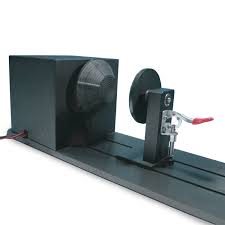
TEC-listed LaserPro Spirit LS and Mercury III rotary attachment

Build the complete setup

Accessories should match your machine.

Rotary attachments can support engraving on suitable cylindrical objects. Cutting tables, optics, and replacement parts are model-specific, so confirm compatibility before ordering.

For Spirit LS PRO, S400, or another configuration, ask TEC to confirm the right accessory. A listing for an older family name does not establish compatibility with every newer model.

Technology Education Concepts

A laser setup that works for your team.

TEC helps you move from equipment selection to hands-on use.

01

Your material

Tell us the exact material, finish, thickness, and intended result.

02

Your projects

Share typical part sizes, batch sizes, and engraving or cutting needs.

03

Your workspace

Plan extraction, electrical requirements, clearance, and supervision.

04

Your users

Discuss setup, operator training, and a maintenance plan.

Before you choose

The machine is one part of the setup. Confirm the material, exhaust requirements, operating environment, accessories, and training with TEC.

Can every laser engrave metal?

No. Bare-metal marking generally calls for an appropriate fiber configuration or a specifically supported process. Coated or treated surfaces are a different case.

Are accessories and extraction included?

Package contents vary. Ask for an itemized quote covering the machine, extraction, cooling where needed, accessories, and training.

How do I choose wattage?

Start with the intended materials, thicknesses, and output. More watts alone do not determine compatibility or the quality of a finished result.

Talk with the TEC team

What do you want to create?

Let’s connect your projects with the right LaserPro system.

Call 1-800-338-2238 or email info@TECedu.com.